Capture useful text
Paste a prompt from the clipboard or scan a prompt QR code. Keep the reusable instruction, then give it a title that describes the task it helps you complete.
PromptClaw is a prompt manager for Android that helps you save, organize, and reuse AI prompts. Keep text and reference media on your phone, find prompts with tags and search, and copy them into ChatGPT, Gemini, Claude, or another AI app.
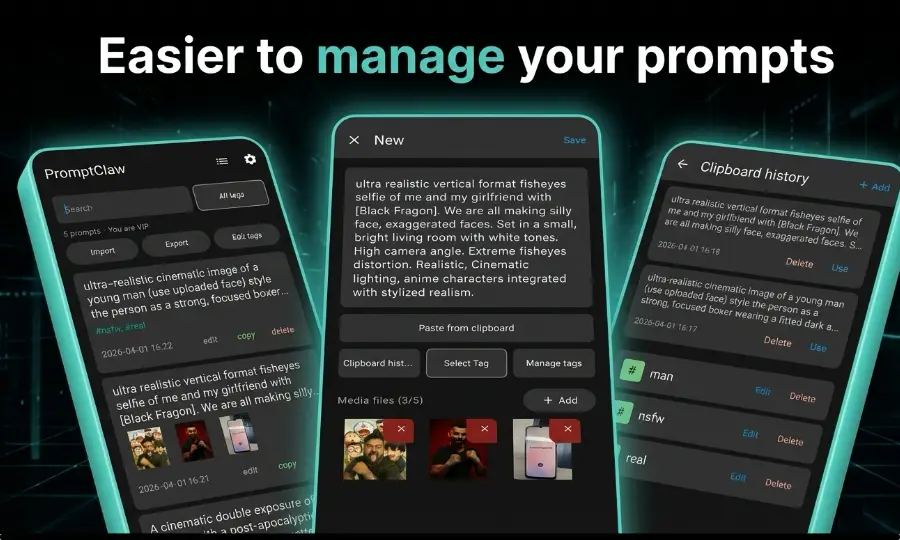
A prompt manager is an app for saving reusable AI instructions, organizing them, and finding the right one when a task comes up again. It keeps the wording you want to reuse separate from a long chat history. PromptClaw brings that workflow to Android, with local storage, reference media, and one-tap copy.
Start with the prompts you already use: an email rewrite, a study outline, or an image description. Save each one with a clear title and a few tags. Your collection becomes a set of instructions you can adapt for the next task, without rebuilding them from memory.
Paste a prompt from the clipboard or scan a prompt QR code. Keep the reusable instruction, then give it a title that describes the task it helps you complete.
Find a saved prompt by searching or filtering by tags. Switch between list and card layouts to review your collection in the way that suits you.
Open a prompt, copy the text in one tap, and paste it into your chosen service. Adjust the inputs before sending so the instruction fits the current task.
Attach images or short videos alongside prompt text. Keep the scene, example, or reference that explains what you wanted the instruction to achieve.
Browse your library on the Android device without mandatory cloud sync or a PromptClaw account. Make a separate backup when you want to retain a copy elsewhere.
Pro adds sharing through a browser on the same Wi-Fi or LAN, plus Markdown import and export for editing and moving your prompt text as files.
Rating supplied by the developer; downloads and screenshots from the public listing. As of November 13, 2026. See the latest store details
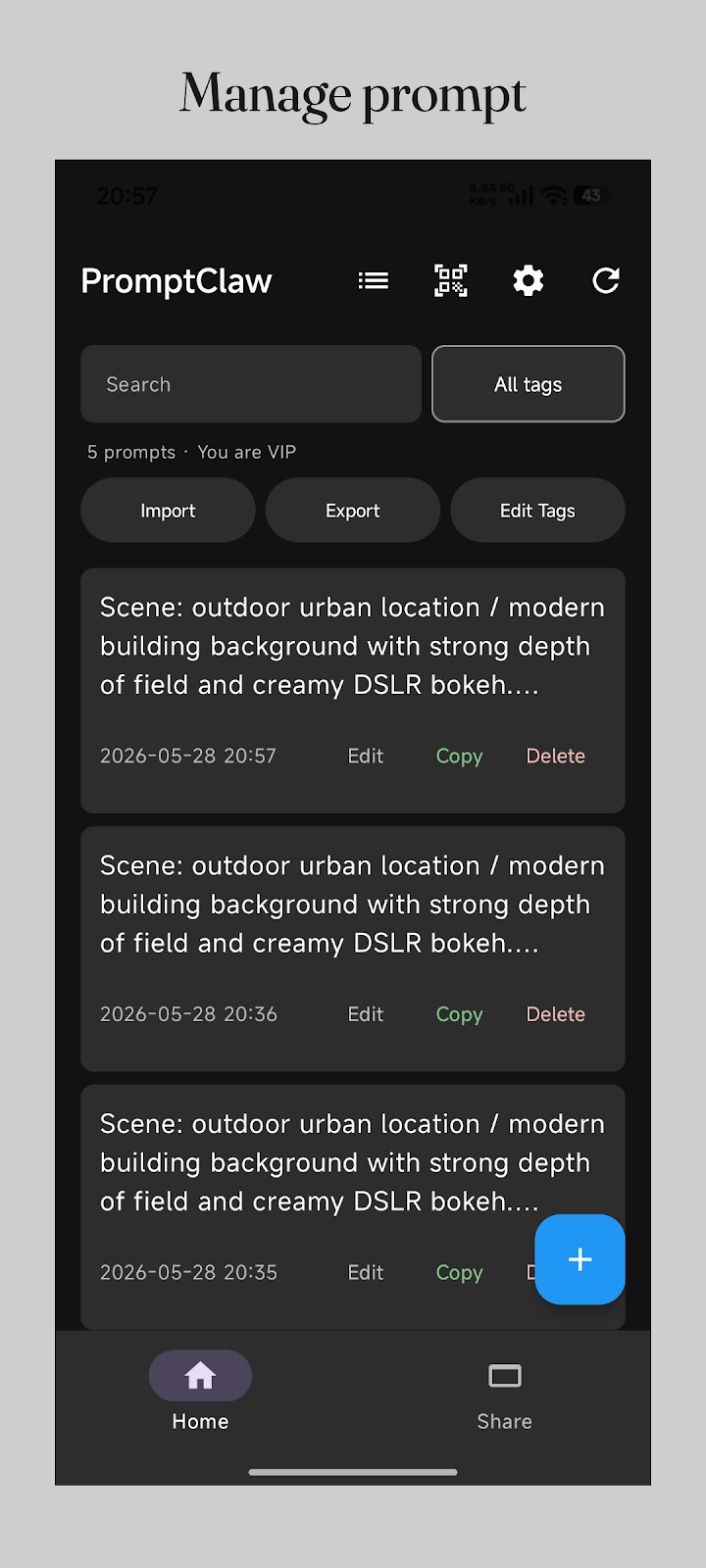
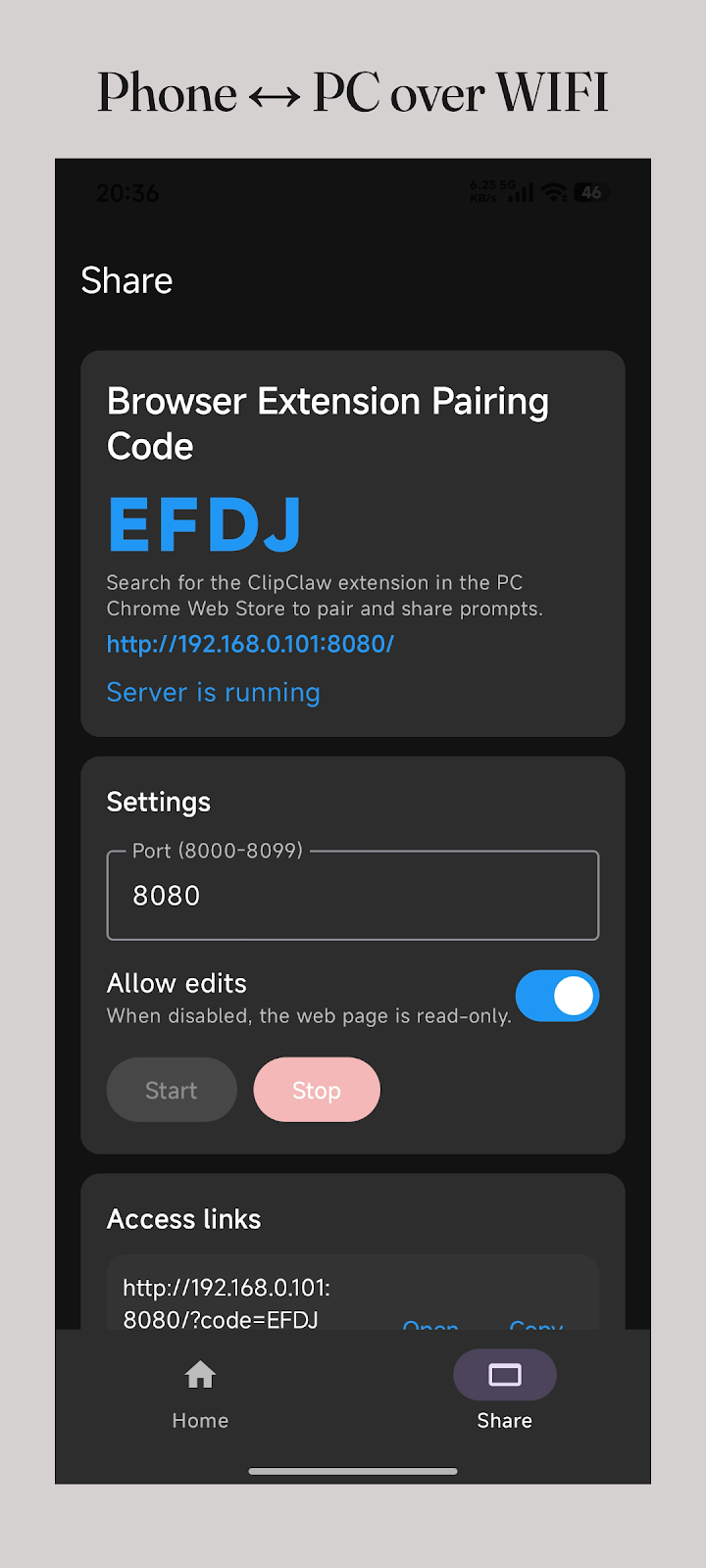
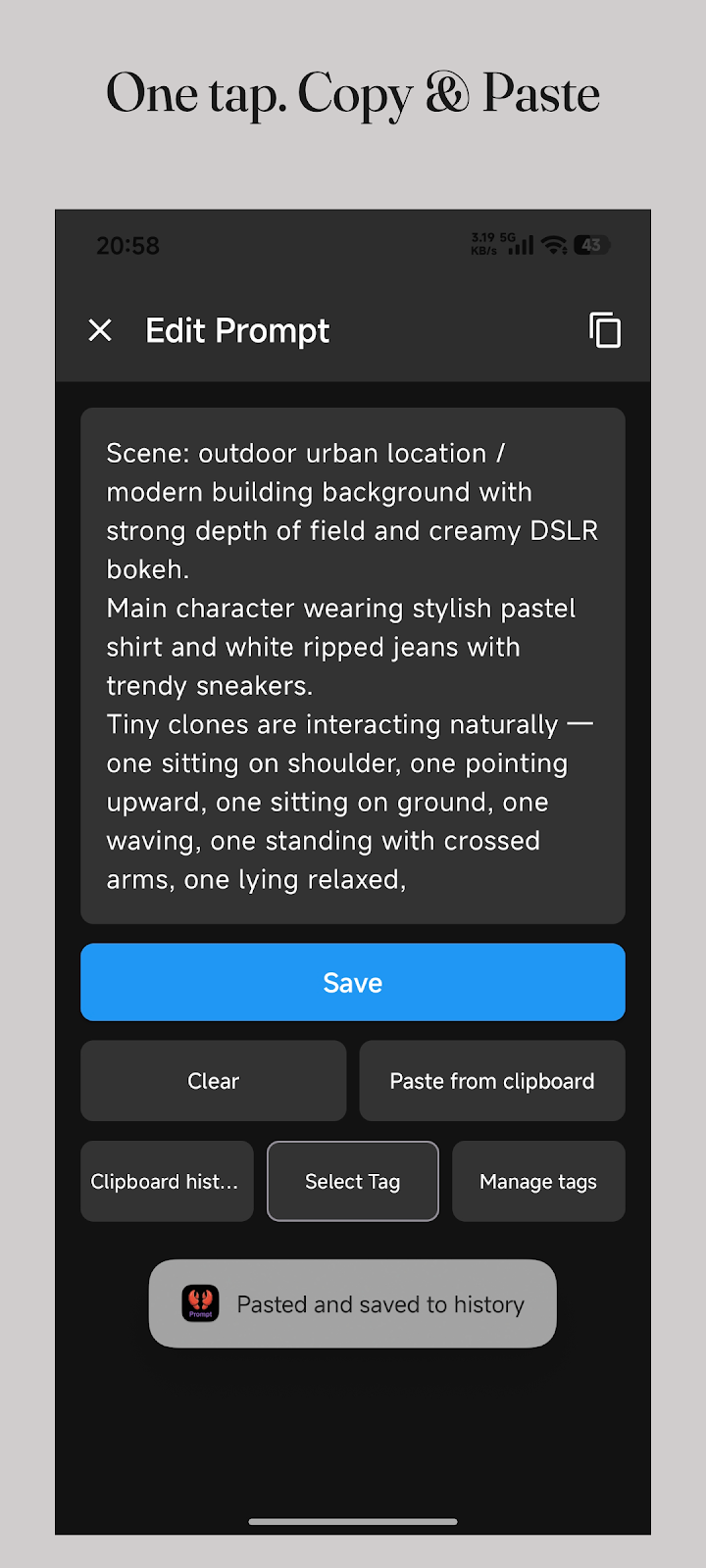
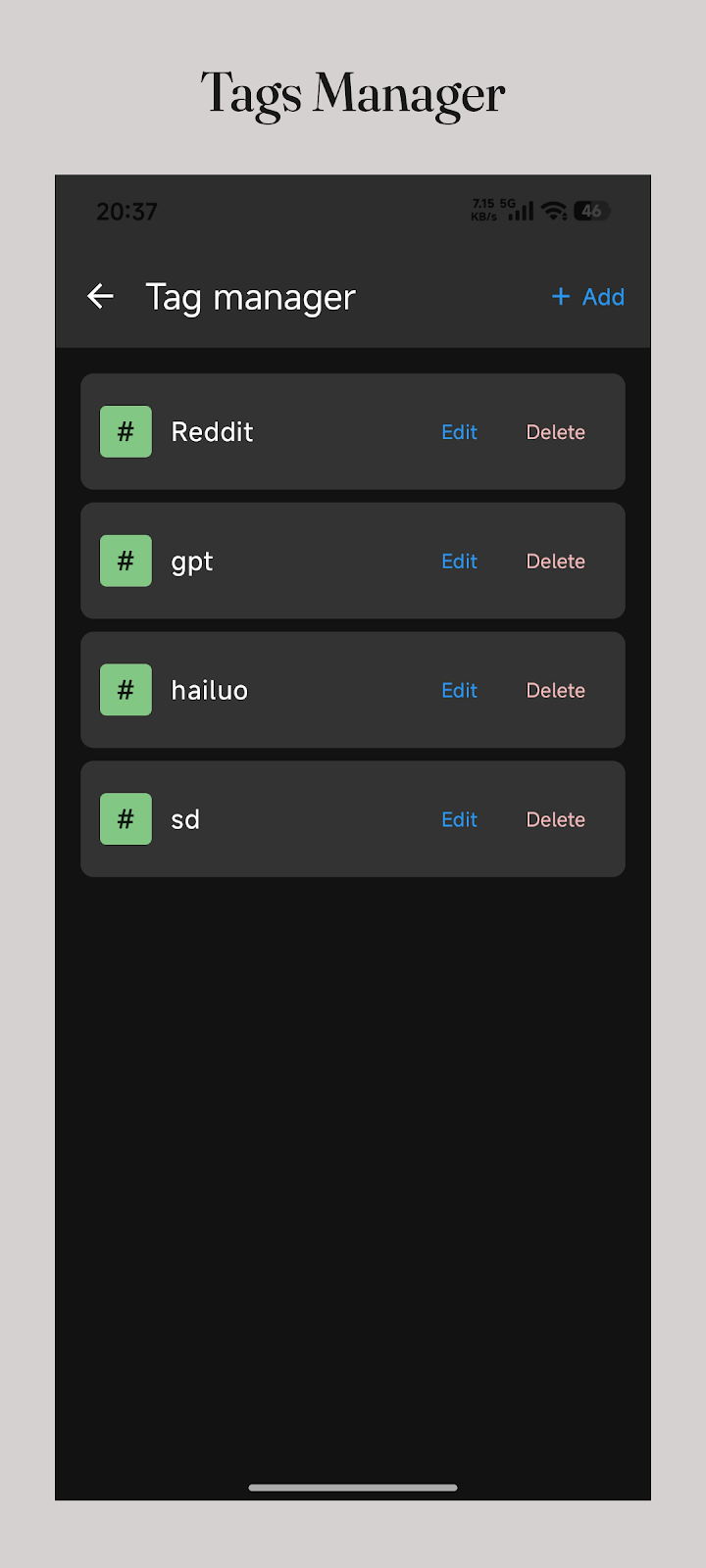
Original English-language store screenshots. Select an image to view it full size.
For naming examples, a reusable template, and a regular cleanup routine, follow the six-step phone organization tutorial.
Keep instructions for several AI tools in the same collection. For example, save a business email template for ChatGPT, a study outline for Gemini, and a code explanation prompt for Claude. Organize them by task or add the tool name as a tag when a particular version works better there.
The basic workflow is copy and paste. PromptClaw manages your saved text; you choose what to send in the AI service. It does not generate answers or include subscriptions to those services. Read the ChatGPT prompt reuse guide for an example you can adapt.
A scene description is easier to understand when its reference image is nearby. Save the wording alongside the image or short video, and add a note about the lighting, composition, or result you wanted. You can return to the context before changing the prompt for a different project.
For writing or learning tasks, keep the reusable instruction separate from the input that changes. A saved summary format can serve many documents, while the document itself belongs to the current task. This keeps each entry readable and makes it easier to see what needs replacing before you copy it.
Pro lets you open the phone library in a PC browser over the same local Wi-Fi or LAN. Start sharing in the Android app, then open the address it provides on your computer. The phone holds the library while you work with the larger screen and keyboard. Keep the phone and sharing session available during use.
This is useful when a prompt needs several paragraphs of careful editing. You can capture the idea on your phone and polish it at your desk. Both devices need access to the same local network; it is not remote cloud sync. Stop the sharing session when you finish.
PromptClaw provides manual backup and restore. Pro also adds Markdown import and export, so you can keep prompt text in files, edit it with a text editor, and bring it back to the phone. Export a dated copy before a large cleanup or device change, and check that the expected text is present.
Check media attachments separately using the export options in your installed version. Before resetting an old phone, open a few important prompts and their references on the new device. A backup stored away from the original phone helps preserve your collection if that phone becomes unavailable.
Try the Android prompt manager with a small collection first. The free allowance is up to 30 prompts. Pro is a one-time purchase for a larger library and the PC and file workflows below.
Install from Google Play and start with your everyday instructions.
Regular price: $8.99 USD, paid once.
See the Black Friday offer and dates for the scheduled promotion. The Google Play purchase screen shows the price and eligibility for your region.
PromptClaw is designed for people who repeatedly use AI tools and want their own instructions close at hand on Android. It fits a writer revising messages, a student reusing a learning format, or a creator keeping visual prompts with their references. Start with a few tested instructions and expand the collection as your work changes.
If you also measure experiments in a spreadsheet or maintain shared team documentation, keep those tools for those jobs. PromptClaw can hold the personal prompts you use from your phone. The comparison below shows how its storage and reuse workflow differs from Excel and Notion.
All three can hold useful instructions. Choose by the work you need to do: repeated mobile reuse, structured analysis, or shared documentation. The workflow comparison below is a practical guide, not a speed benchmark.
| Task | PromptClaw | Excel | Notion |
|---|---|---|---|
| Organization | Prompt entries, tags, and search | Rows and columns you structure yourself | Pages and databases you configure |
| Reuse on a phone | Open a prompt and copy its text | Select and copy the relevant cell text | Open a page or block and copy the text |
| Offline access | Library stored on the Android device | Local files work offline; open cloud files ahead of time | Prepare pages for offline use in the app |
| Working on a PC | Pro local Wi-Fi/LAN sharing and Markdown files | Choose how to store and share workbook files | Share workspace pages and collaborate |
| A useful fit | A personal collection you repeatedly copy on Android | Comparing and measuring many experiments in a table | Shared documentation and a broader knowledge base |
Offline feature references: Microsoft Support · Notion Help. Checked November 13, 2026. Availability depends on the app version and setup.
Try the free allowance of up to 30 prompts with the instructions you already use.
Lifetime Pro: regular price $8.99 USD. A one-time purchase for unlimited prompts, Markdown import/export, LAN sharing, themes, and no ads.
See the homepage announcement for the promotional window and offer. The Google Play purchase screen shows pricing and eligibility for your region.
Get on Google PlayChoose a practical guide for the next thing you want to do, from your first collection to a repeatable daily routine.