PROMPTCLAW · BLACK FRIDAY

Black Friday half-price offer

PromptClaw lifetime access for $4.49 during the promotion.

– (UTC)

−50%

$8.99$4.49 USD

ANDROID · YOUR LIBRARY, ON YOUR DEVICE

PromptClaw. Keep the prompts worth keeping.

Your best instructions deserve a home beyond a scrolling chat. PromptClaw helps you collect useful prompts on Android, keep their context close, and bring them into your next task. Your collection lives on your phone; you choose when to copy, export, or share it.

Free to install · Up to 30 prompts · Optional lifetime Pro

PromptClaw Android app overview

On Google Play

5.0/5 All five-star ratings · developer-provided
100+Downloads · Google Play listing
Free to installIn-app purchases available

Rating supplied by the developer; downloads and screenshots from the public listing. As of November 13, 2026. See the latest store details

Original English-language store screenshots. Select an image to view it full size.

A small collection that gets more useful with time

A prompt becomes valuable when you have tried it, improved it, and know when to use it again. That might be a careful email rewrite, an outline that helps you start a project, or the description behind an image you want to recreate. PromptClaw gives those useful pieces of work a place to return to, with text and reference media together.

The idea is simple: keep what worked, give it a name you will remember, and reuse it with the details of your next task. You do not need to build a complicated workspace before you can begin. Start with a handful of prompts you already reach for and let your collection grow around the work you actually do.

PromptClaw is developed by Ge Liu under the ViFly name. It is an independent app, built around practical use on a phone and the freedom to keep your own files. Visit the product overview for the full Android prompt manager features, or follow the guides below to establish your first routine.

From an idea on your phone to work on your desk

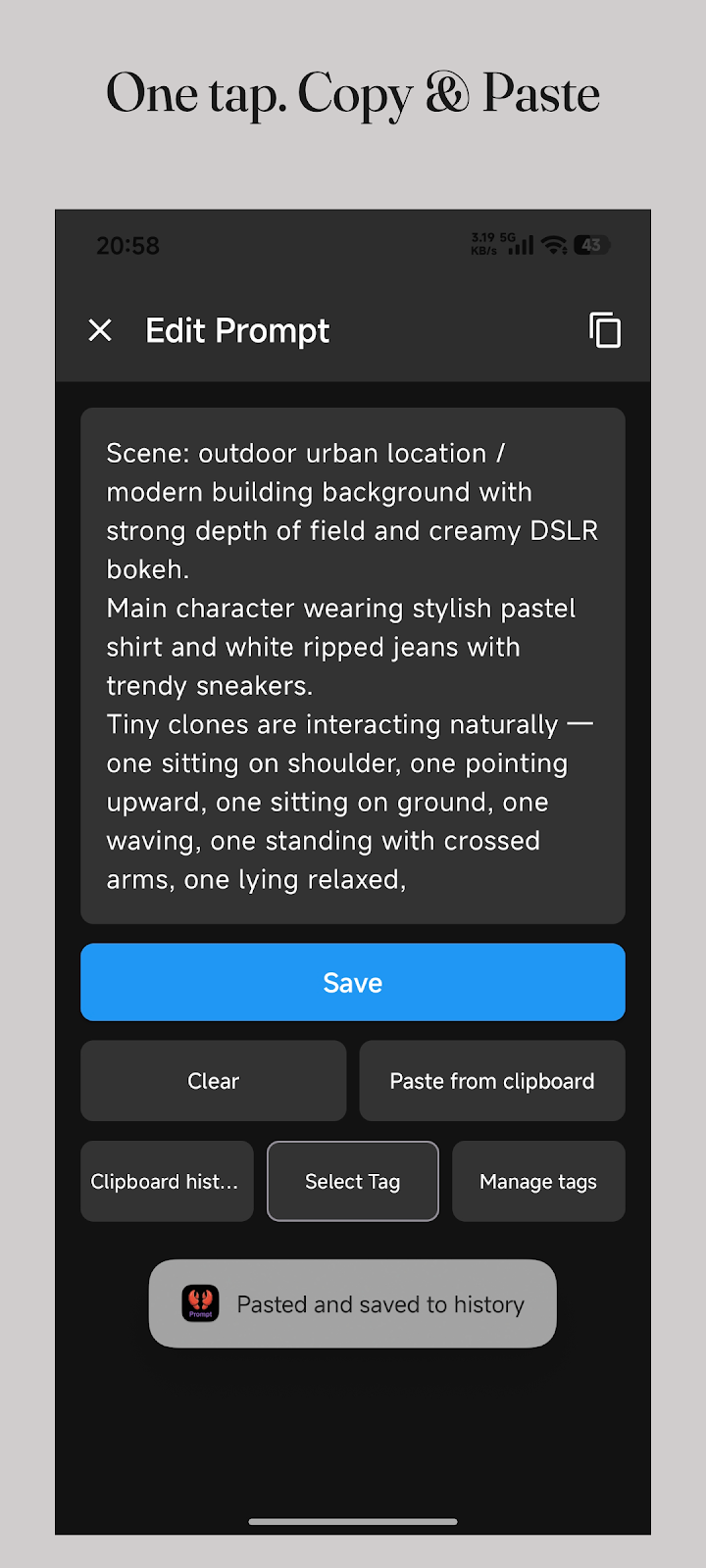
Good ideas often arrive away from a desk. You might adjust a prompt while commuting, save a useful instruction after a conversation, or collect a visual reference while reading. Capture the text while it is fresh, add a descriptive title, and attach the context that will make sense when you return to it next week. A saved instruction is easier to reuse when you also remember its purpose.

When it is time to work, search your collection or filter it by tags. Open the relevant prompt, review it, and copy the text into the AI app you want to use. You still decide what to submit and what to change. PromptClaw stores and organizes your material; the AI service you paste it into is responsible for generating a response.

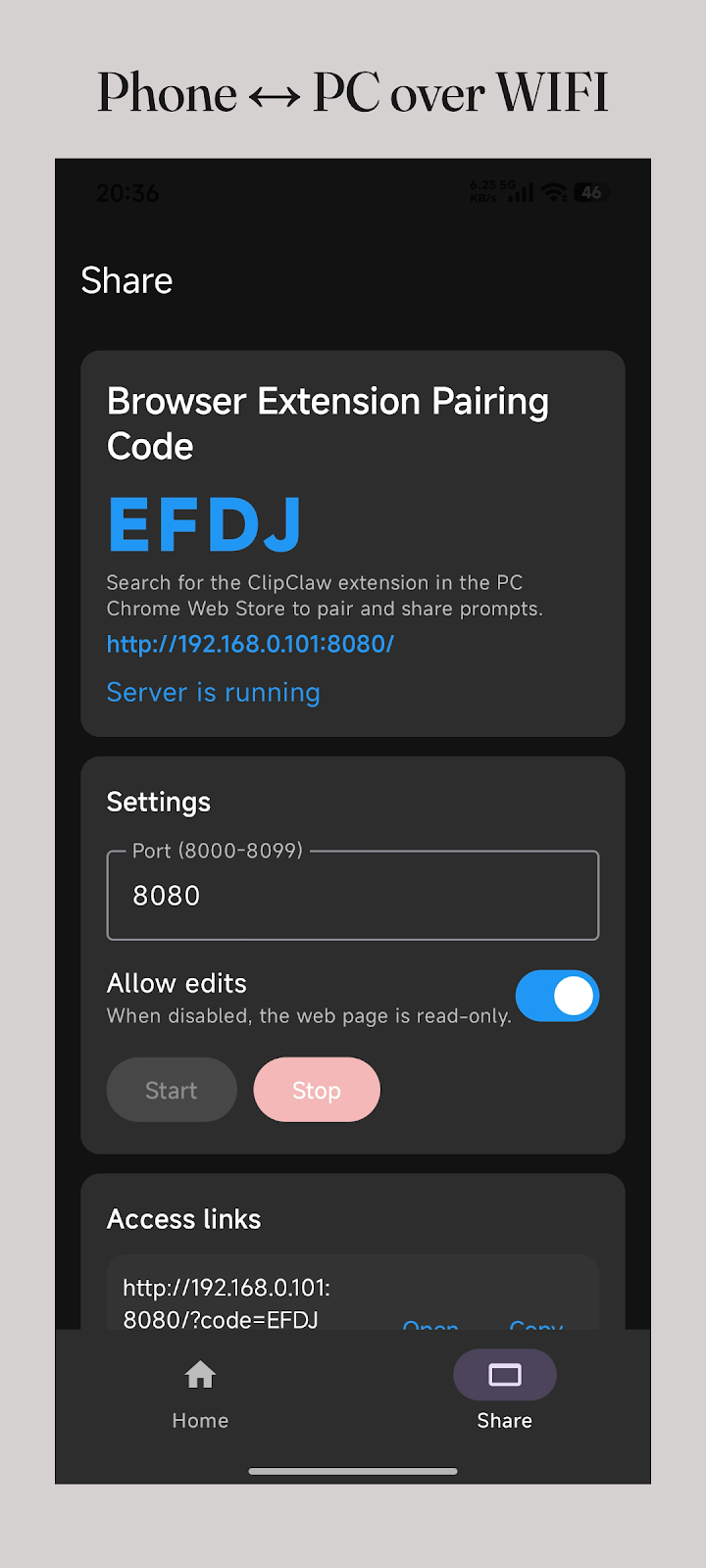
For longer editing sessions, the Pro phone-to-PC feature makes your library accessible through a browser on the same local network. Keep the phone connected, open the address provided by the app on your computer, and work with a larger screen and keyboard. This is a local sharing session, so it is useful at home or at a desk where both devices share a network.

Make room for the work you repeat

Writing and communication

Keep separate prompts for a short reply, a thoughtful rewrite, and a structured summary. Record the audience and tone you intended. When the next message arrives, reuse the structure and replace the details, instead of rebuilding every instruction from memory.

Image and video ideas

Save a scene description alongside its reference image or short video. Record the lighting, composition, and constraints that mattered. Keeping the reference next to the words helps you understand why a version worked before adapting it for another visual project.

Learning and technical work

Collect prompts that help you study a topic, question an assumption, or review a piece of code. Keep task instructions separate from private inputs. A reusable explanation format can be helpful across projects without storing every conversation or confidential example.

Start with five prompts you already trust

Choose a few prompts you used successfully this week. Give each one a title that describes the outcome, such as “Turn meeting notes into actions” or “Rewrite a reply in a warmer tone.” Titles based on outcomes are easier to recognize than a collection of names such as “test,” “new,” or “final version.”

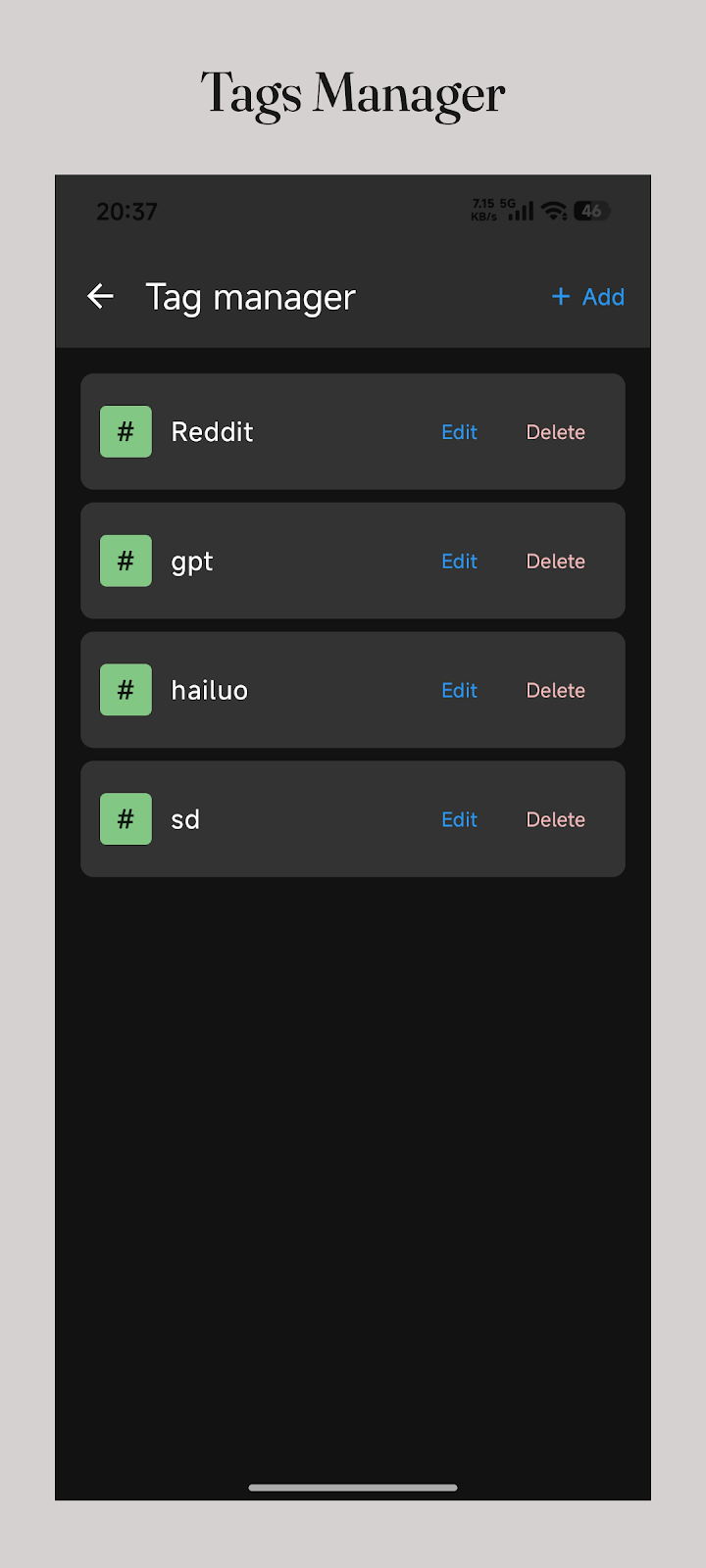
Use a small set of tags that reflects your work: writing, learning, images, or coding may be enough at first. Add a second tag only when it helps you find a prompt in a different situation. Review older versions occasionally and keep the ones you can explain. A manageable library of tested instructions is more useful than a large pile you never revisit.

For a complete walkthrough, use the phone organization tutorial. If ChatGPT is where you work most often, the ChatGPT reuse guide shows how to separate the reusable instruction from the changing context, then check the result before saving an improved version.

Local storage, with a backup habit you control

Your prompt library is stored on your Android device. You do not need a PromptClaw account or a mandatory cloud library to get started. This makes the app useful for maintaining a personal collection you can browse without depending on a cloud sync session. It also means that you are responsible for keeping a separate backup of material you want to retain.

Local storage and a backup are different things. If a phone is lost, reset, or damaged, a library kept only on that phone may be lost with it. Use the app’s backup tools, and keep a copy somewhere you can still access if the device becomes unavailable. Pro Markdown import and export also lets you work with reusable text as files on another device.

When you copy a prompt into ChatGPT, Gemini, Claude, or another service, that service processes the content under its own terms. Local storage does not extend to text you choose to send elsewhere. Check personal details before copying, and decide deliberately which files or references to include in an export or local sharing session.

Choose the workflow that fits your day

A dedicated prompt collection is most helpful when you repeatedly need to find, read, and copy instructions on Android. If your work is primarily collaborative documentation, an existing shared workspace may still be the right place for it. If you are analyzing results across many experiments, a spreadsheet can remain a useful companion. You can keep those tools and use PromptClaw for the instructions you carry with you.

Try the free allowance with real tasks before deciding which features matter to you. The Google Play listing describes a free tier of up to 30 prompts, with Pro features available through a one-time purchase. The lifetime option includes unlimited prompts, Markdown import and export, local phone-to-PC sharing, custom themes, and no ads. Check the current purchase screen for pricing in your region.

The Black Friday announcement on this page gives the scheduled promotional price and its exact UTC window. For visitors in Japan, the offer starts at 09:00 JST on November 27, 2026 and ends at 09:00 JST on December 1, 2026. The Japanese pages also explain the app and everyday workflows in Japanese, including a practical guide for moving a library to a new phone.
PromptClaw, Excel, or Notion?

All three can hold useful instructions. Choose by the work you need to do: repeated mobile reuse, structured analysis, or shared documentation. The workflow comparison below is a practical guide, not a speed benchmark.

Compare the everyday workflow
TaskPromptClawExcelNotion
OrganizationPrompt entries, tags, and searchRows and columns you structure yourselfPages and databases you configure
Reuse on a phoneOpen a prompt and copy its textSelect and copy the relevant cell textOpen a page or block and copy the text
Offline accessLibrary stored on the Android deviceLocal files work offline; open cloud files ahead of timePrepare pages for offline use in the app
Working on a PCPro local Wi-Fi/LAN sharing and Markdown filesChoose how to store and share workbook filesShare workspace pages and collaborate
A useful fitA personal collection you repeatedly copy on AndroidComparing and measuring many experiments in a tableShared documentation and a broader knowledge base

Offline feature references: Microsoft Support · Notion Help. Checked November 13, 2026. Availability depends on the app version and setup.

Make your next prompt easier to find

Try the free allowance of up to 30 prompts with the instructions you already use.

Lifetime Pro: regular price $8.99 USD. A one-time purchase for unlimited prompts, Markdown import/export, LAN sharing, themes, and no ads.

See the homepage announcement for the promotional window and offer. The Google Play purchase screen shows pricing and eligibility for your region.

Get on Google Play

Questions before you start

Does PromptClaw generate AI answers?
No. PromptClaw stores and organizes the prompts you prepare. Copy a prompt into your chosen AI service to generate an answer. Those services have their own accounts, availability, and pricing.
Can I try it before buying lifetime access?
Yes. The Google Play listing describes a free tier of up to 30 prompts. Pro features are a one-time in-app purchase. The store purchase screen shows the applicable local price.
Where can I see the actual app?
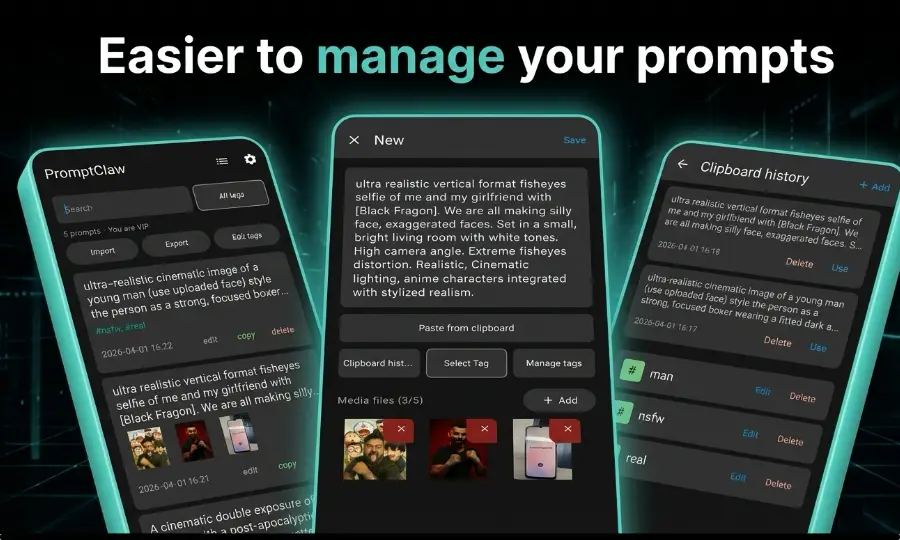
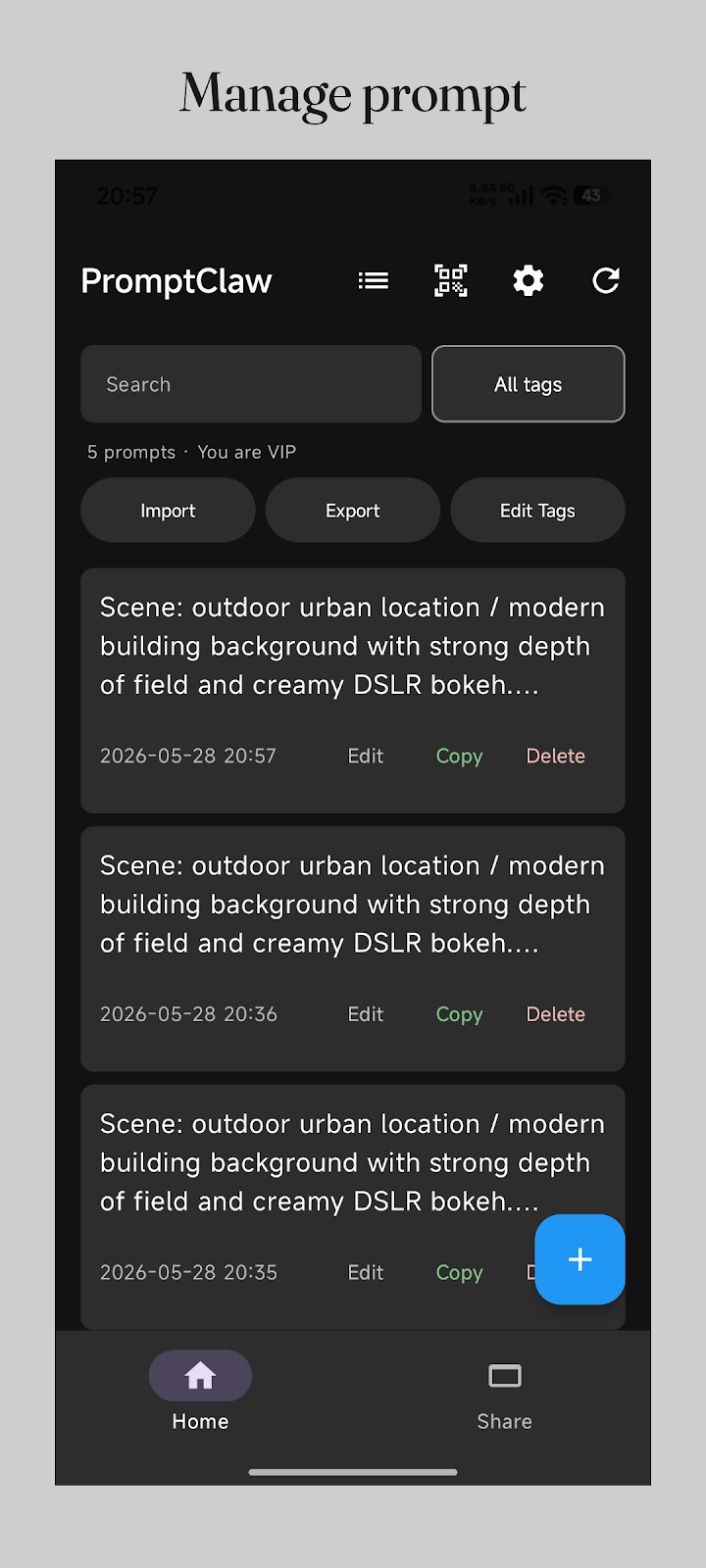
The screenshots on this page come from the Google Play listing. They show the prompt library, local PC sharing, and editing screens. Open the store listing for the latest release details.
How do I get help?
Contact vifly_support@yeah.net with your app version, Android version, and a description of the problem. You do not need to include private prompt content to explain most issues.